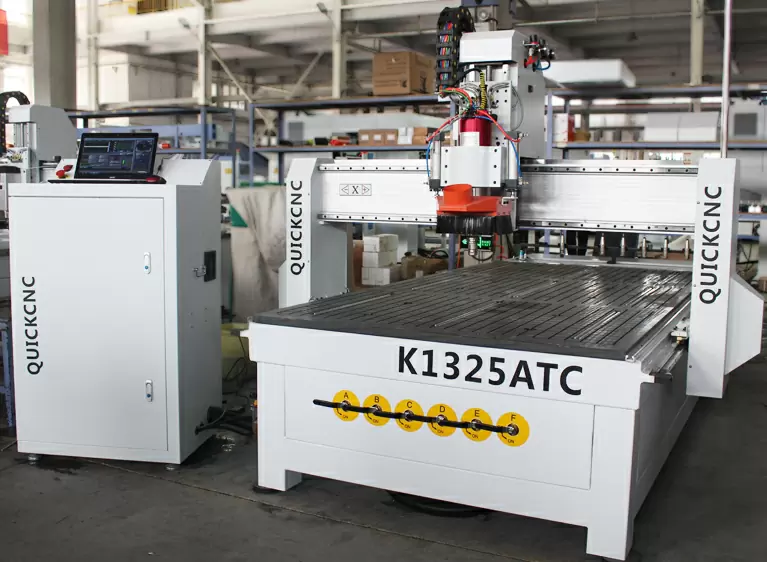
Quick Answer: Which CNC Router Is Best for Woodworking?
There isn’t one “best CNC router for woodworking.” The best choice depends on what you cut, how big your parts are, how many you run per day, and how much automation you actually need.
If you are… | Choose… | Why it fits |
|---|---|---|
A small woodworking shop | A 3-axis CNC router (4×4 or 4×8 class) | Affordable entry, flexible for mixed one-off work |
A cabinet shop / whole-house customization factory | A nesting CNC router or an ATC nesting CNC router | Sheet efficiency, fast drilling/grooving workflows |
A furniture factory | A 4×8 / 5×10 ATC CNC router | Multi-tool jobs all day without manual tool changes |
A door manufacturer | An ATC CNC router or a door-focused PTP CNC router | Lock/hinge pockets, grooves, multi-step processing |
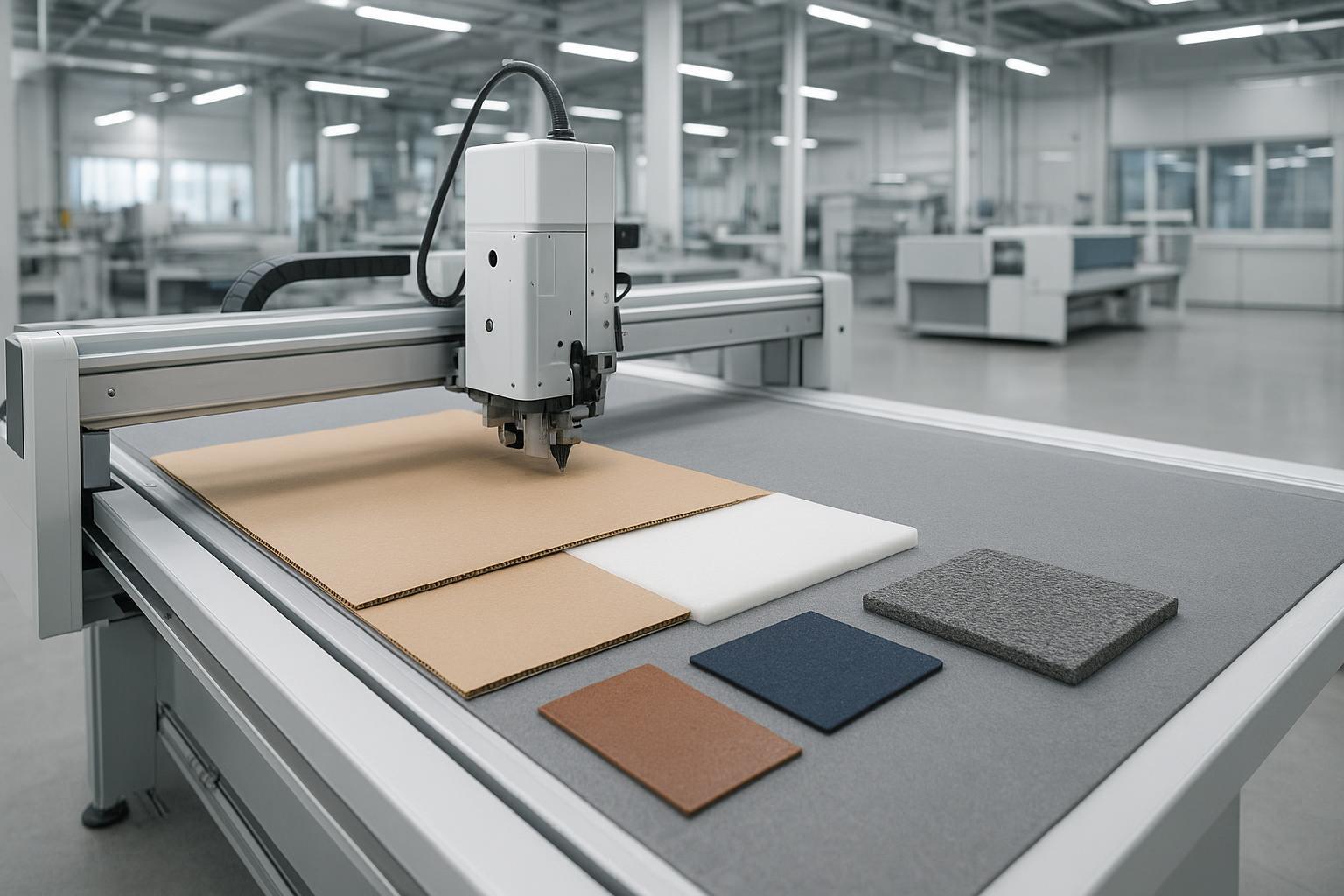
A sign and craft shop | A small or medium CNC router (6090/1212/1325 depending on size) | Better fit for smaller materials and fine engraving |
High-end 3D woodworking / molds | A 4-axis (rotary) or 5-axis CNC router | Complex 3D surfaces and multi-face machining |
A dealer / distributor | Build a lineup: entry-level 3-axis + 1325/4×8 + ATC + nesting | Covers most buyer tiers and use cases |
CTA (light): Not sure what fits your shop? Share your material type, maximum workpiece size, and daily output target, and we can suggest a practical configuration that won’t overbuy.
What Is a CNC Router for Woodworking?
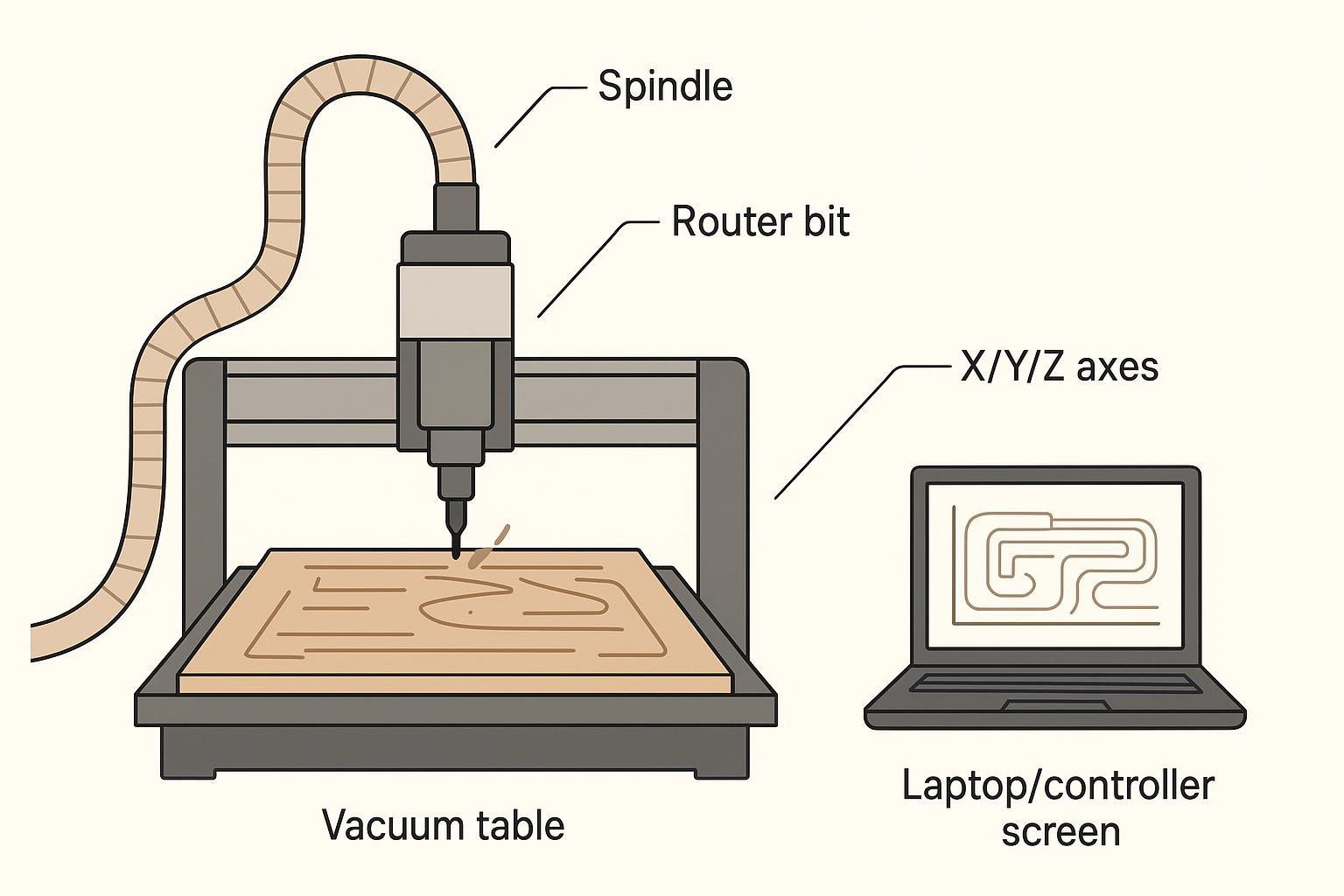
A CNC router for woodworking is a computer-controlled cutting machine that uses a rotating spindle and router bits to cut, carve, drill, and shape wood and sheet goods with repeatable accuracy. You design the part in CAD, generate toolpaths in CAM, then the controller drives the machine’s X/Y/Z motion to run those toolpaths.
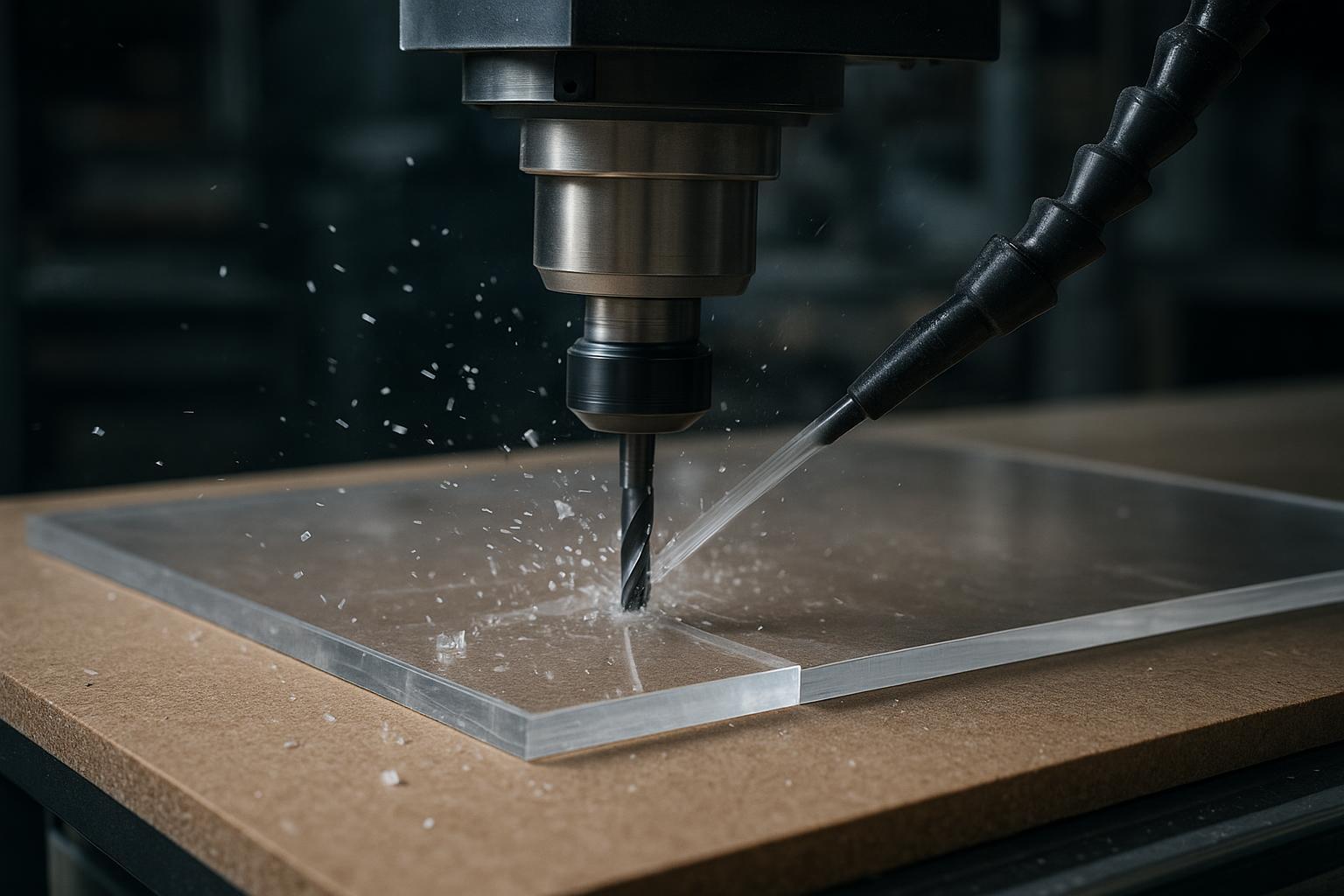
Compared with manual woodworking tools (handheld routers, jigs, templates), a woodworking CNC router improves consistency and throughput because the machine follows the same program every time, with less dependence on operator “feel.” It’s commonly used on MDF, plywood, particle board, solid wood, and also many shops cut acrylic and other plastics for signage and templates.
In day-to-day production, a CNC router can handle cutting, engraving, grooving, drilling, relief carving, and profiling/shaping—often in one setup when the machine and workholding are matched to the job. For a solid overview of what CNC routing is and how it differs from manual routing, see 3ERP’s explainer on CNC routing.
What Can a Woodworking CNC Router Do?
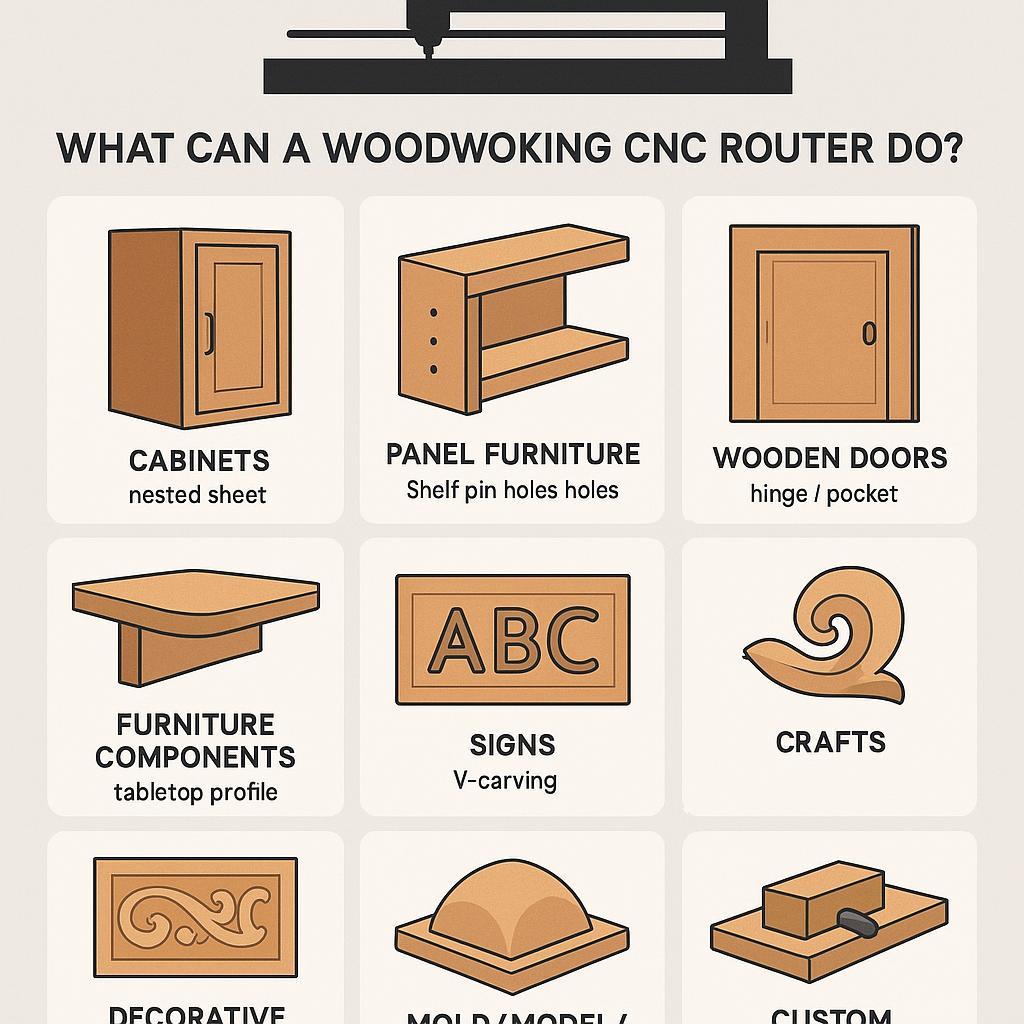
Most buyers don’t care about axis theory. They care about what they can ship. Use this table to match your product line to CNC capabilities.
Application | What the CNC router does | Suitable buyer |
|---|---|---|
Cabinets | Sheet cutting, drilling, grooving, pocketing, nesting layouts | Cabinet shops, whole-house customization factories |
Panel furniture | Cutting panels, shelf pins/holes, slots, dados, batch processing | Panel furniture factories |
Wooden doors | Carving, hinge/lock pockets, grooves, edge profiling | Door manufacturers |
Furniture components | Table tops, chair parts, frames, decorative components, joinery pockets | Furniture factories, custom workshops |
Signs | Lettering, 2D profiling, V-carving, acrylic cutting | Sign shops |
Crafts | Small 3D carving, inlays, engraved gifts, decorative pieces | Craft businesses, makers |
Decorative panels | Relief carving, wall panels, hollow cutting, pattern work | Interior product makers |
Mold/model/prototype work | 3D surfaces, templates, prototype parts, foam tooling | Model makers, R&D shops |
Custom woodworking | One-off parts, jigs/fixtures, repeatable custom designs | Small shops doing custom jobs |
Scenario-based view (how factories actually buy)
- Panel furniture / cabinet factories: prioritize nesting efficiency, drilling speed, vacuum hold-down, and stable daily throughput.
- Door factories: prioritize rigidity, repeatable positioning, and multi-process capability (hinge/lock, grooves, profiling).
- Small shops: prioritize footprint, power requirements, simplicity, and a configuration you can actually run with your current team.
Main Types of CNC Routers for Woodworking
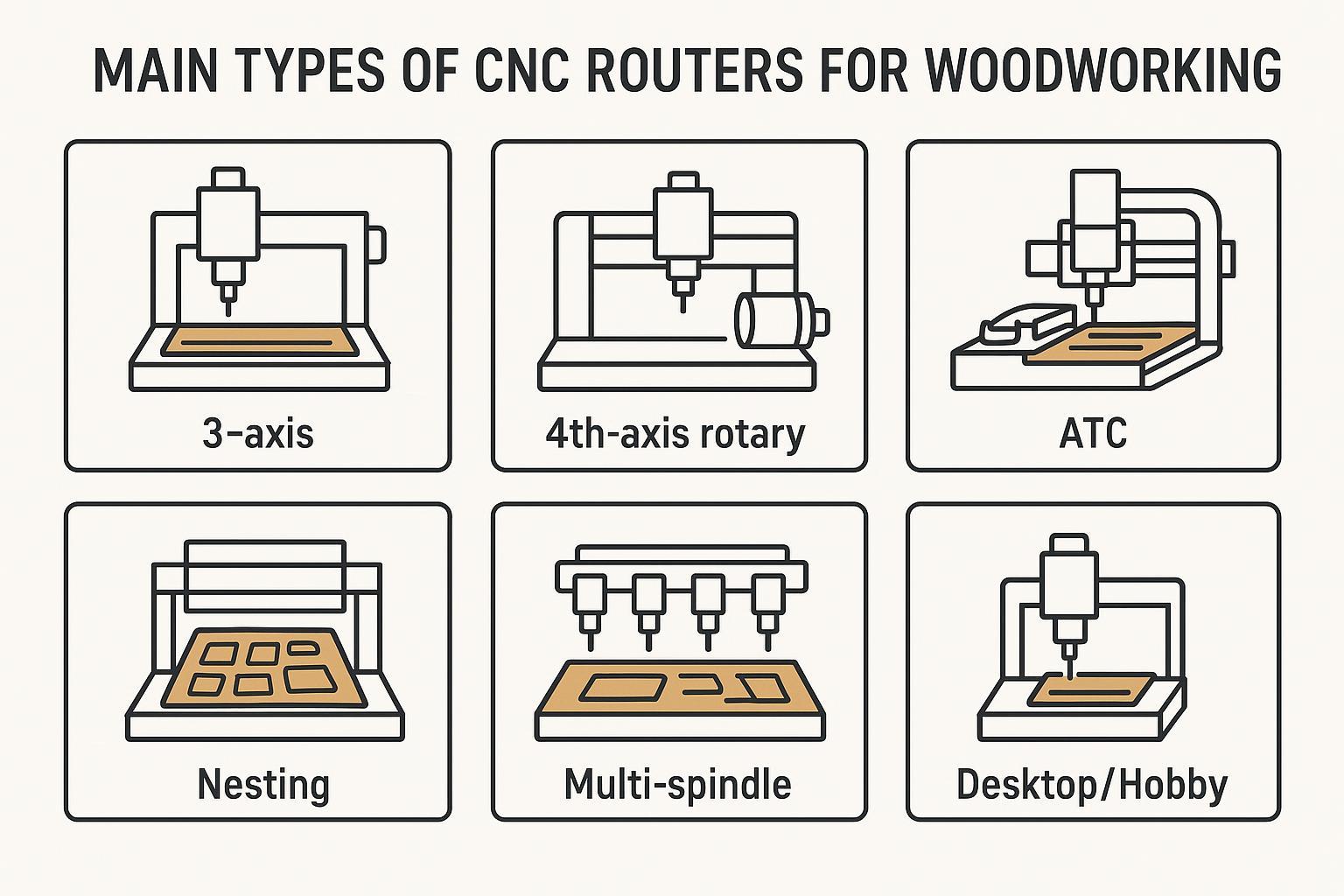
Don’t buy by buzzwords. Buy by “best for” and “not ideal for.”
Type | What it is | Best for | Not ideal for |
|---|---|---|---|
3-axis CNC router | Standard X/Y/Z motion | General cutting/engraving, mixed small-batch work | High-volume multi-tool production where tool changes dominate |
4th-axis rotary CNC router | Adds a rotary axis (often called 4th axis) | Cylindrical parts: legs, columns, handrails; some 3D work | Basic sheet cutting when you never do round work |
ATC CNC router | Automatic tool changer (linear or carousel) | Furniture/doors/cabinets with multiple tools per job | Simple cut-only work on a tight budget |
Nesting CNC router | Sheet-optimized router for panel workflows | Cabinets, wardrobes, panel furniture, sheet utilization | Small custom jobs where setup time outweighs nesting gains |
Multi-spindle CNC router | Two or more spindles for repeated processes | Batch production with repeated operations | Complex jobs with frequent tool variety changes |
5-axis CNC router | Adds two more axes for complex tool angles | Complex curved surfaces, molds, five-side machining | Most standard cabinet/furniture work (overkill for flat panels) |
Desktop / hobby CNC router | Compact, lighter-duty machines | Training, prototyping, small crafts | Industrial sheet processing and all-day factory production |
Pro Tip: “4-axis” is sometimes used loosely online. Confirm whether you’re getting a 4th-axis rotary attachment or true simultaneous multi-axis motion, because the cost and capability are not the same.
Which CNC Router Is Right for Your Woodworking Business?
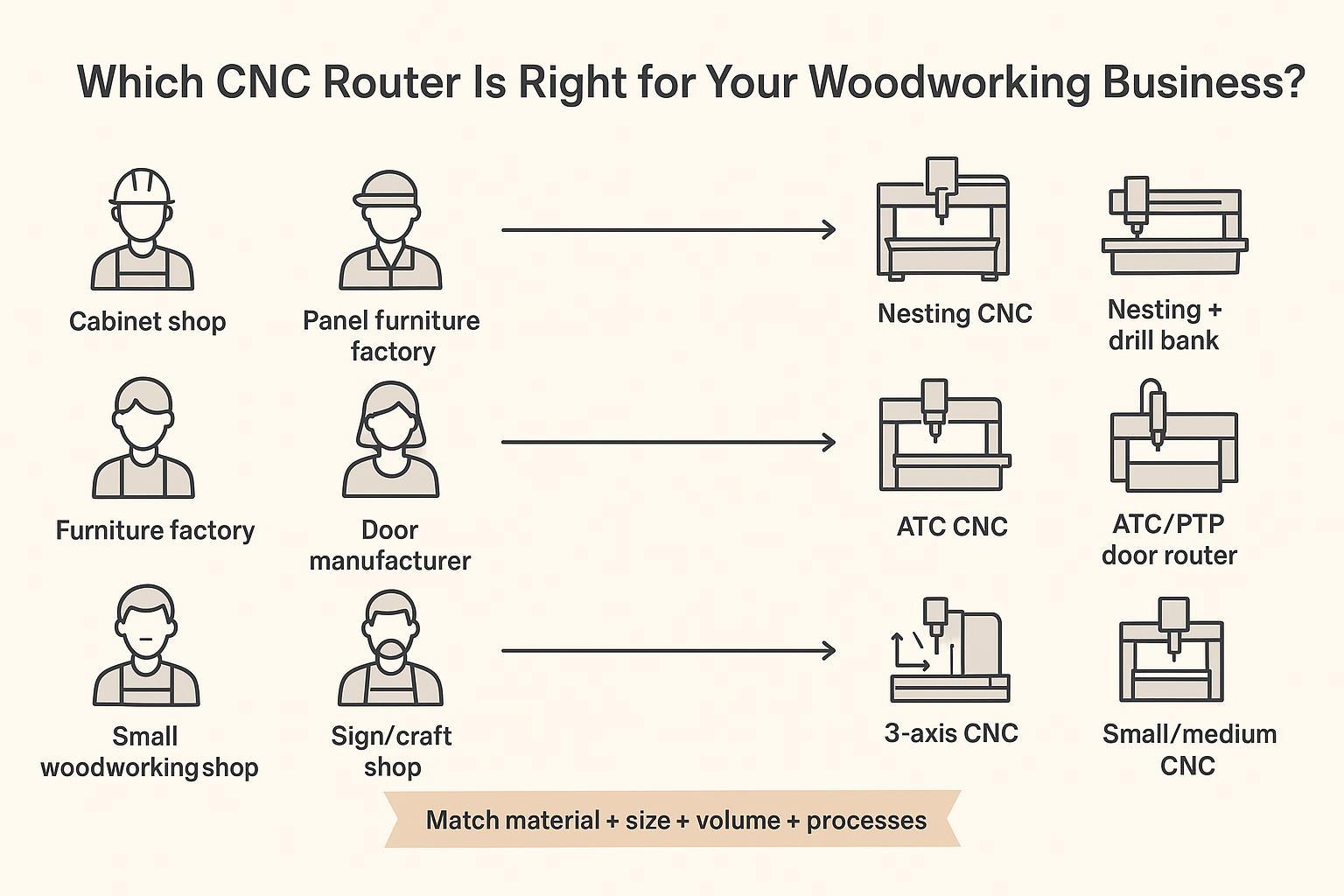
This is the section that prevents “buying the wrong machine.”
Buyer type | Main need | Recommended CNC router type | When it’s the wrong choice |
|---|---|---|---|
Cabinet shop / whole-house customization | Cut panels, drill holes, make grooves, reduce waste | Nesting CNC router or ATC nesting CNC | Wrong if you mainly do solid-wood custom pieces, not sheet workflows |
Panel furniture factory | High-volume sheet processing + drilling speed | Nesting CNC router with drill bank (or a nesting line) | Wrong if your product mix is tiny batches with frequent changeovers |
Furniture factory | Mixed processes: cutting + carving + drilling + grooving | 4×8 or 5×10 ATC CNC router | Wrong if you only do simple 2D cutting with one tool |
Door manufacturer | Hinge/lock pockets + grooves + stable positioning | ATC CNC router or PTP-style door/panel router | Wrong if you only cut flat sheets and never do door machining |
Small woodworking shop | Affordable entry + flexible custom jobs | 3-axis 4×4 or 4×8 CNC router | Wrong if you already know you need multi-tool workflows all day |
Sign/craft shop | Fine engraving + smaller material sizes | 6090 / 1212 / 1325 class depending on size | Wrong if you need full-sheet cabinet production |
Dealer / distributor | Cover multiple customer tiers | Entry-level + 1325/4×8 + ATC + nesting models | Wrong if you only carry one machine class (misses most demand) |
CTA (light): If you make cabinets, doors, furniture, or signs, the right configuration will be different. Tell us your main products and sheet size, and we’ll help you compare 3-axis vs ATC vs nesting without upselling features you won’t use.
How to Choose the Best CNC Router for Woodworking (Decision Sequence)
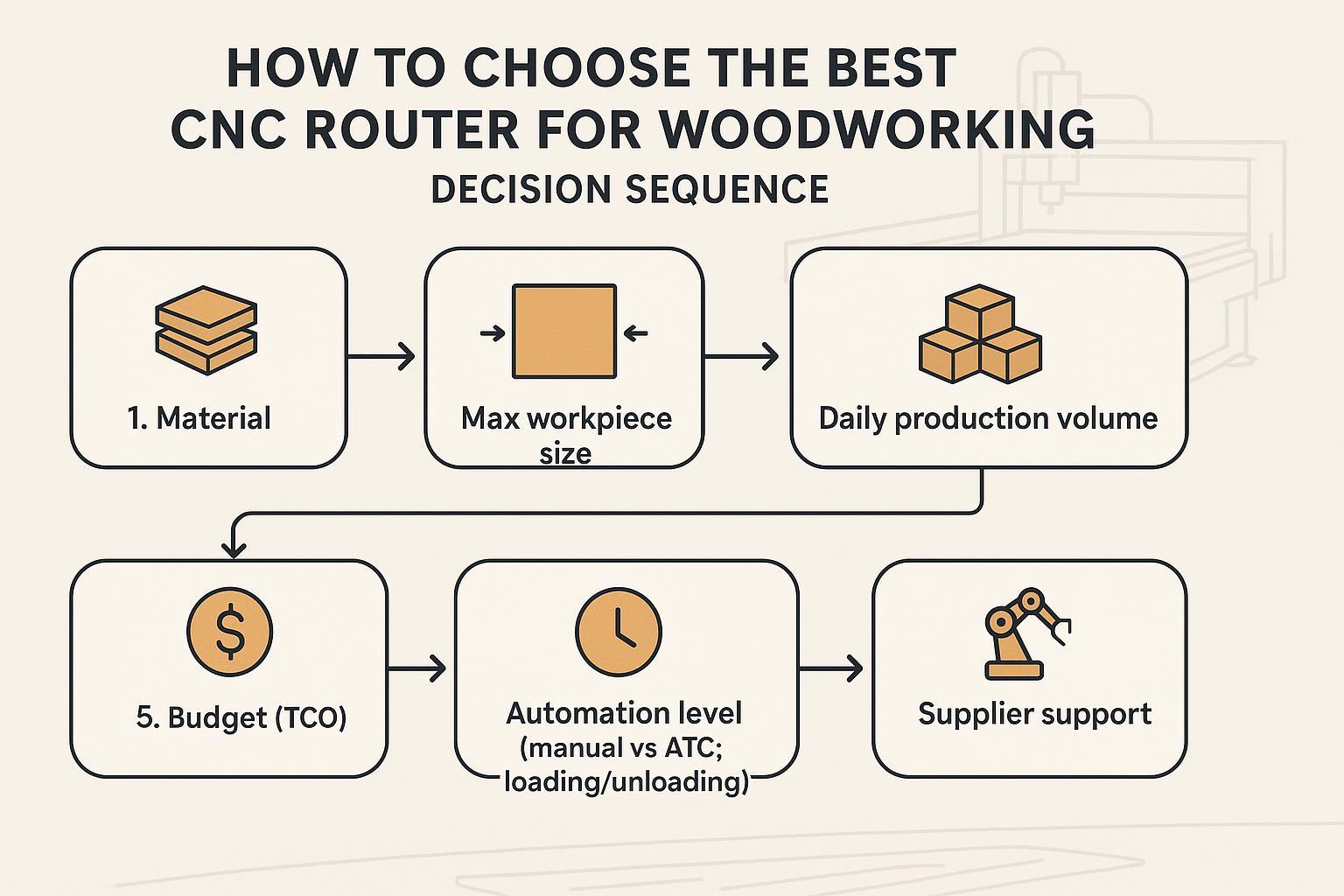
If you follow this order, you’ll avoid most expensive mistakes.
- Start with material (MDF/plywood/particle board vs solid wood vs acrylic).
- Confirm maximum workpiece size (full sheet? doors? small parts?).
- Estimate daily production volume (occasional, small batch, daily orders, continuous production).
- List your processes (cut-only, drilling, grooving, 3D carving, five-side machining).
- Set a realistic budget range (machine + TCO, not machine only).
- Choose automation level (manual tool change vs ATC; manual loading vs auto loading/unloading).
- Evaluate supplier support (spares, remote support, documentation, commissioning guidance).
If you are… choose… (quick decision table)
If you are… | Choose… |
|---|---|
A cabinet shop | Nesting CNC router or ATC nesting CNC |
A furniture factory | 4×8 / 5×10 ATC CNC router |
A door manufacturer | ATC CNC router with door processing capability (or PTP router) |
A small woodworking shop | 3-axis 4×4 or 4×8 CNC router |
A sign/craft shop | 6090 / 1212 / 1325 depending on material size |
A dealer | Build product lines from entry-level, 4×8, ATC, nesting models |
How to Choose by Production Volume
A lot of buyers pick a machine type correctly, then underbuy on throughput.
Production level | Recommended machine | Why |
|---|---|---|
Occasional projects | Desktop or small 3-axis CNC router | Lowest cost; fits learning and small items |
Small batch custom work | 3-axis 4×4 or 4×8 CNC router | Flexible for mixed jobs, manageable complexity |
Daily furniture or door orders | ATC CNC router | Tool changes stop being “minor” and start being downtime |
Daily sheet cutting (panels) | Nesting CNC router | Better sheet efficiency and faster panel workflows |
Continuous factory production | ATC nesting line with loading/unloading | Highest throughput; less operator dependency |
Key Features to Compare Before Buying a CNC Router Machine
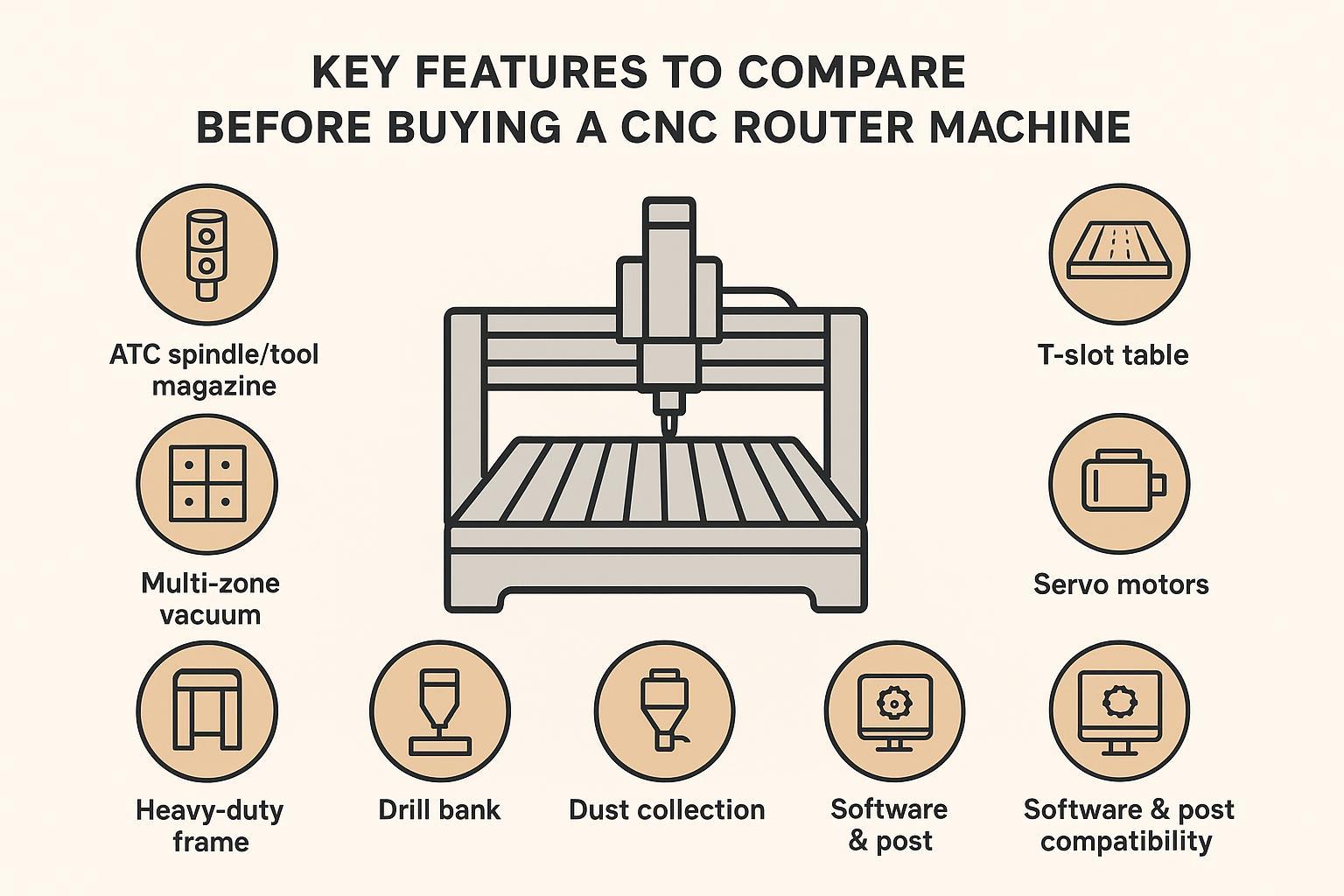
Don’t read feature lists like a catalog. Translate each feature into a problem it solves.
Feature | What it solves | Who needs it most |
|---|---|---|
ATC spindle / tool magazine | Removes manual tool changes and reduces mistakes | Furniture, doors, cabinet shops |
Vacuum table | Fast full-sheet hold-down for MDF/plywood; quicker loading | Cabinet and panel furniture shops |
T-slot table | Flexible clamping for small, thick, irregular parts | Custom shops, solid wood work |
Multi-zone vacuum | Better hold-down for different sheet sizes | Shops processing mixed board sizes |
Drill bank | Speeds up hole patterns on panels | Cabinet/panel furniture factories |
Servo motors (vs steppers) | More stable motion under load, better speed control | Daily production environments |
Heavy-duty frame | Less vibration; better long-term accuracy | Industrial users cutting all day |
Dust collection | Cleaner shop, safer air, less contamination | Everyone doing woodworking |
Software & post compatibility | Fewer workflow failures, faster ramp-up | New buyers, factories, dealers |
Vacuum table vs. T-slot table (quick rule)
- Choose a vacuum table when you process full sheets (MDF/plywood/particle board) and care about fast loading and consistent panel holding.
- Choose T-slot (or add fixtures) when you often cut small, thick, or irregular parts where vacuum sealing is unreliable.
Software, Training, and Workflow (The Part Buyers Regret Ignoring)
If the software stack doesn’t match your team, the machine won’t hit its capacity.
CAD vs CAM vs controller software (plain-English)
- CAD: design the part (2D drawings or 3D models).
- CAM: generate toolpaths and output G-code.
- Post-processor: converts CAM output into the specific format your controller expects.
- Controller system/software: runs the program, controls axes, handles jogging, offsets, tool changes.
A practical overview of the CAD vs CAM split (and why post-processors matter) is described in Tommotek’s guide on CAD vs CAM.
Simple compatibility table (use this as a starting checklist)
Production need | Recommended controller family (typical) | Common software to integrate (CAD/CAM/Nesting) |
|---|---|---|
Basic cutting & engraving | DSP / Mach3-style setups | VCarve, ArtCAM-style tools, Type3 |
Cabinets / panel nesting | Syntec / LNC | Cabinet Vision, Mozaik, nesting CAM tools |
Complex 3D / 5-axis | OSAI / Siemens / Syntec (5-axis) | Alphacam, TopSolid, advanced CAM with 5-axis posts |
⚠️ Warning: Don’t assume “it supports CAD/CAM” means it will work smoothly. The real question is whether your CAM has a stable post-processor for your controller and your exact machine configuration.
Best CNC Router for Woodworking by Application (Best by Type, Not by Brand)
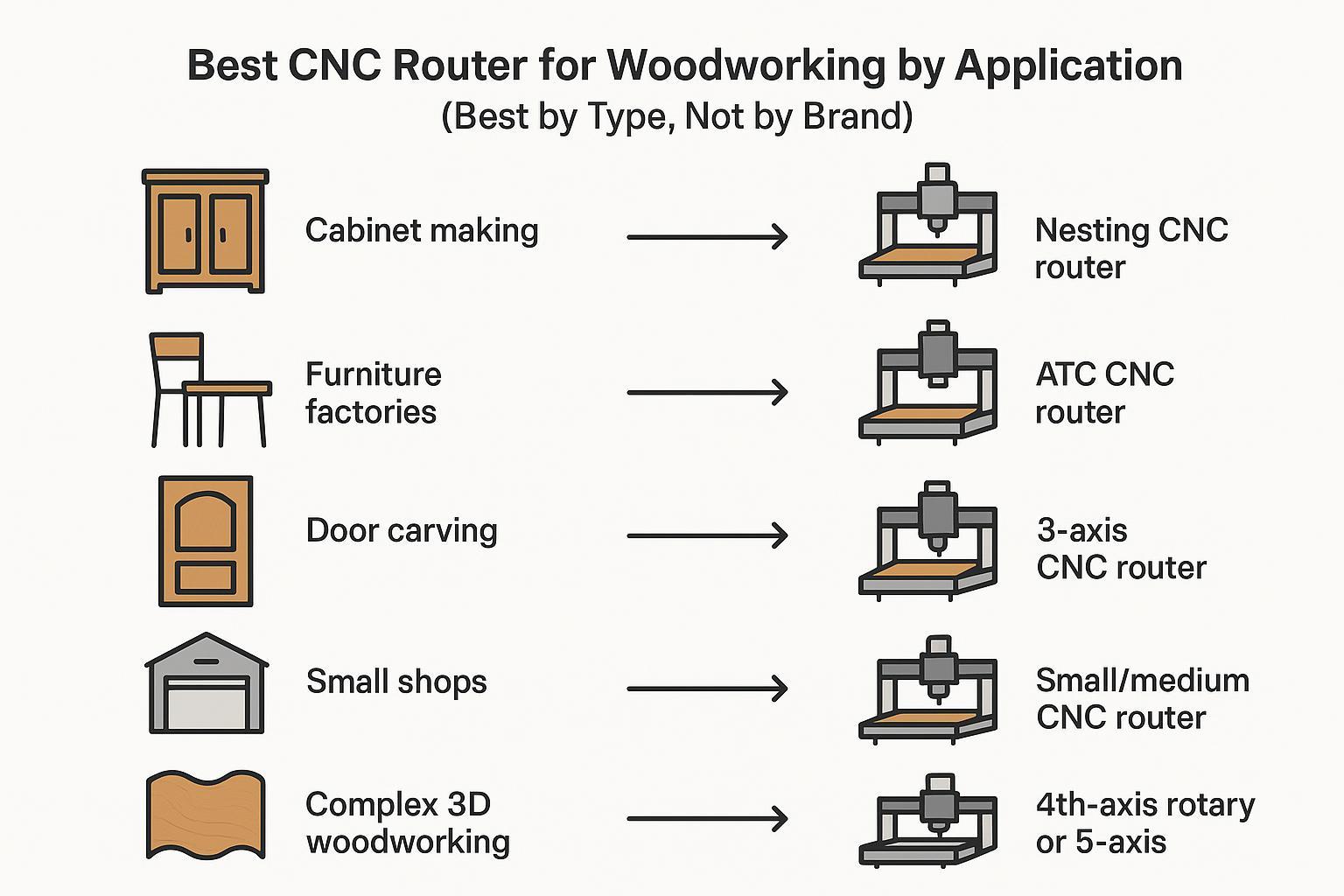
This is the safest way to satisfy “best CNC router for woodworking” and “cnc machine for woodworking” intent without turning the page into an ad.
Best for | Recommended CNC router type |
|---|---|
Best for cabinet making | Nesting CNC router |
Best for furniture factories | ATC CNC router |
Best for door carving | ATC CNC router or 4th-axis router (if cylindrical/3D parts matter) |
Best for small shops | 3-axis CNC router |
Best for crafts/signs | Small or medium CNC router |
Best for complex 3D woodworking | 4th-axis rotary or 5-axis CNC router |
How Much Does a Woodworking CNC Router Cost?
Prices vary by size, rigidity, controller, and automation. Use ranges and treat them as planning numbers, not quotes.
Machine class | Typical budget range (USD) | What usually pushes cost up |
|---|---|---|
Entry-level / desktop | $1,500–$10,000 | Larger work area, better rails, better spindle |
Standard 3-axis (shop-level) | $5,000–$25,000 | 4×8 size, vacuum table, better motion components |
ATC CNC routers | $15,000–$60,000+ | Tool magazine type, servo package, drilling options |
Nesting CNC routers | $20,000–$80,000+ | Drill bank, auto loading/unloading, software integration |
5-axis CNC routers | $80,000–$200,000+ | 5-axis head, controller, CAM/post requirements |
What affects the price most
- Working size (4×8 vs 5×10 vs larger)
- ATC type (linear vs carousel), tool count
- Motion system (steppers vs servos), rigidity of frame/gantry
- Vacuum system size and pump requirements
- Drill bank, aggregates, side milling heads
- Controller ecosystem and integration needs
The Real Budget: Total Cost of Ownership (TCO)
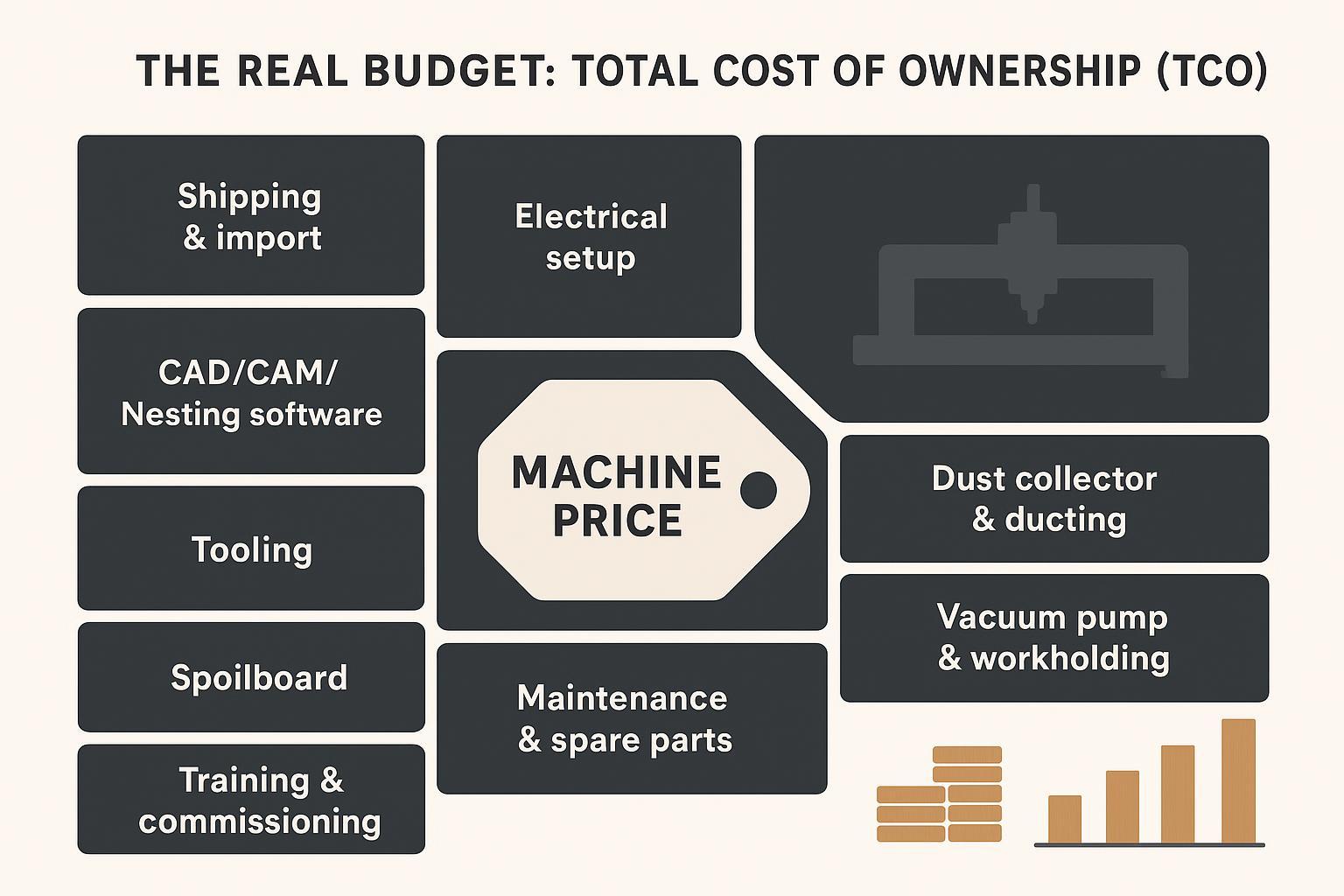
Many shops underestimate the “everything else” budget. Mikon’s Hidden Costs of CNC Machines and Gowico’s overview on hidden costs when buying a CNC machine both make the same point: the sticker price is only part of the investment.
Cost item | Why it matters |
|---|---|
Shipping and import fees | Often underestimated in cross-border procurement |
Electrical setup | May require dedicated circuits, rewiring, or power upgrades |
Dust collector + ducting | Wood chips and fine dust need a real plan |
Vacuum pump / workholding | Vacuum tables often need a pump sized to your workflow |
Air compressor (if needed) | ATC and pneumatic fixtures may require stable air |
CAD/CAM/Nesting software | Licensing and training affect ramp-up speed |
Tooling (bits, holders, collets) | Ongoing wear items; not optional |
Spoilboard | Regular replacement in sheet processing |
Training & commissioning time | Determines how fast you can produce sellable parts |
Maintenance & spare parts | Impacts uptime and long-term cost |
A Simple ROI Model: When an ATC CNC Router Upgrade Pays Back
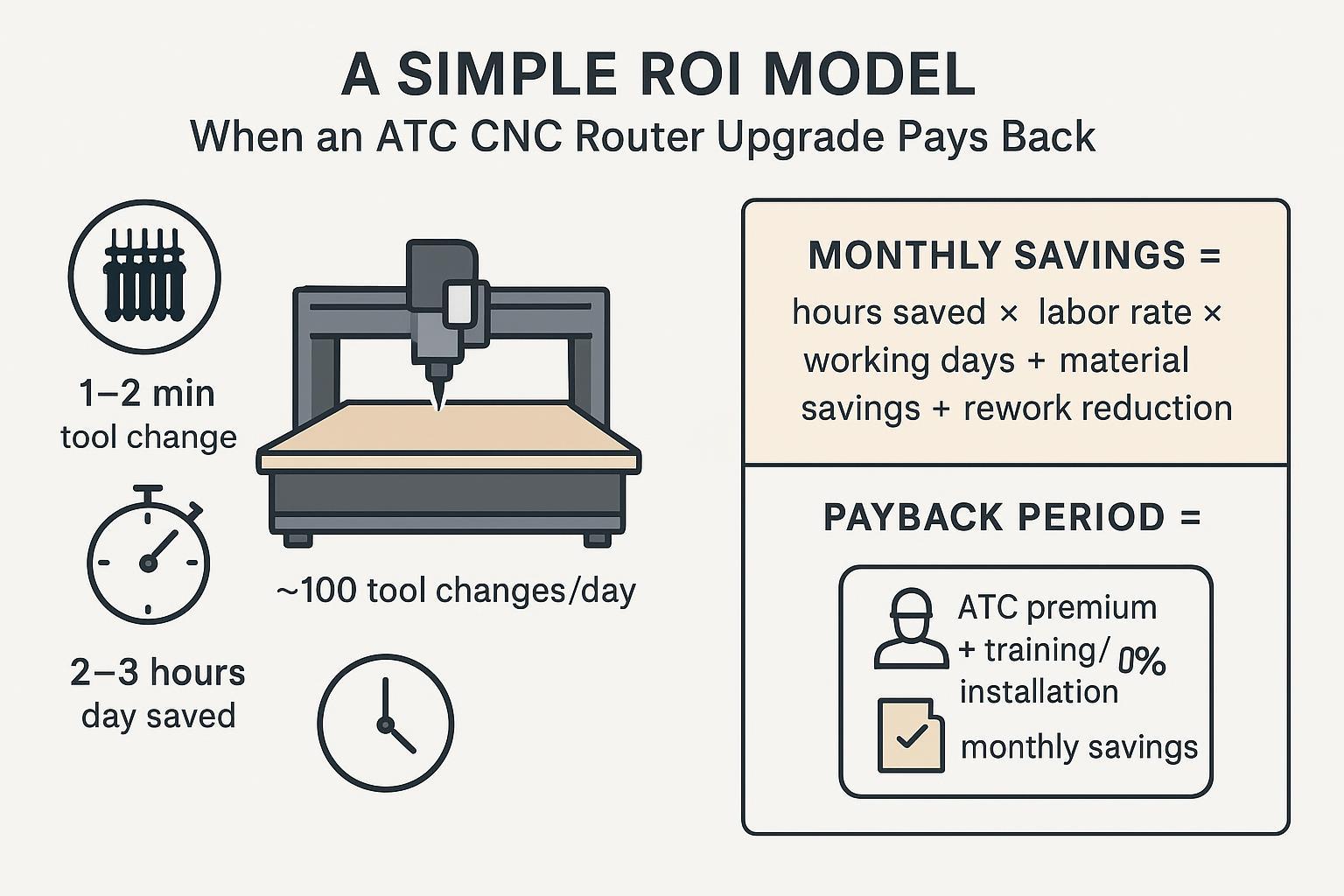
If your jobs use multiple tools, ATC often pays back faster than people expect.
Here’s a simple model you can adapt:
- Time saved: If an automatic tool change saves ~1–2 minutes each time, and you do ~100 tool changes/day, that’s ~2–3 hours/day.
- Labor impact: Less dependence on a highly skilled operator for repetitive setup and tool swaps.
- Material yield: With nesting and better workflow discipline, sheet utilization can improve (for example, 85% → 95% in well-managed nesting workflows).
A practical way to compute payback:
- Monthly savings = (hours saved/day × labor cost/hour × working days/month) + (material savings/month) + (rework reduction/month)
- Payback period (months) = (ATC price premium + installation/training) ÷ monthly savings
For many mid-sized shops, a conservative payback target is 6–12 months, depending on workload stability and how quickly the team ramps up.
Why Universal Components Matter (Especially for Overseas Buyers)

When you buy internationally, downtime risk isn’t just “machine quality.” It’s whether you can source parts fast.
If your CNC router uses widely available components, you’re less likely to lose weeks waiting for a unique part.
Examples of component families that are commonly supported globally:
- Spindle: Italy HSD (replacement bearings and service networks are widely available)
- Servo motor: Japan Yaskawa (broad distribution and service coverage)
- Electrical: Schneider (common industrial electrical ecosystem)
This is one reason many buyers shortlist suppliers like Quick CNC that can configure machines around mainstream component ecosystems rather than obscure proprietary parts.
Myth vs. Fact (Quick Corrections Buyers Appreciate)
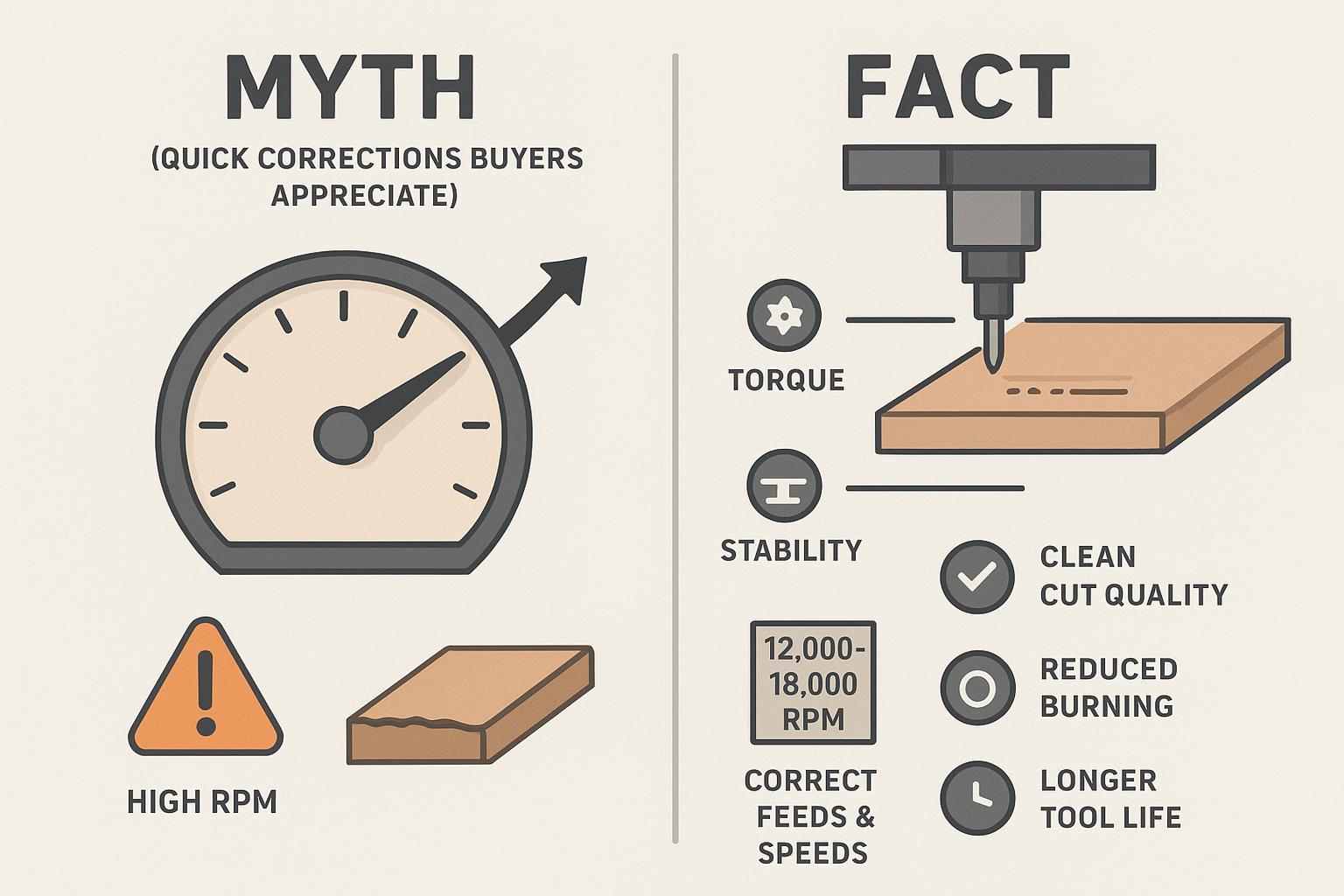
❌ Myth: Higher spindle RPM always means faster and better cutting.
✅ Fact: For hardwoods and thick MDF, torque and stability matter more than raw RPM. High RPM on dense material can burn wood and dull tooling quickly. In many production settings, stable cutting in the 12,000–18,000 RPM range (depending on tooling and material) produces cleaner results and longer tool life.
Common Mistakes When Buying a Woodworking CNC Router
- Choosing only by price, ignoring the motion system and workholding.
- Buying a bed that’s too small for your real sheet size.
- Not planning for future order growth.
- Ignoring software, post-processors, and training.
- Ignoring dust collection and vacuum hold-down needs.
- Underestimating installation space and material loading area.
- Not confirming your materials and processes (MDF vs solid wood vs acrylic, drilling patterns, etc.).
- Not confirming after-sales support, spare parts, and remote troubleshooting.
- Treating a hobby CNC as an industrial machine.
- Forcing a basic 3-axis machine into complex 3D or high-volume production.
What Should You Prepare Before Installing a Woodworking CNC Router?
- Workshop space (machine footprint + loading/unloading clearance)
- Power supply (voltage, phase, dedicated circuit)
- Dust collection plan
- Vacuum pump / workholding plan
- Air compressor (if pneumatics/ATC require it)
- Material staging area (full sheets need space)
- Operator training schedule (CAD/CAM + machine operation)
- Tooling plan (bits, holders, collets, gauges)
- Spare parts and a preventive maintenance plan
FAQ
What is the best CNC router for woodworking?
The best CNC router is the one that matches your material, part size, production volume, and required processes. For cabinets, nesting is usually the best fit. For multi-process furniture and doors, ATC is usually the best fit.
What size CNC router do I need for woodworking?
Choose the smallest bed that fits your largest common workpiece without constant re-fixturing. If you regularly process 4×8 sheets, buy a 4×8-class machine.
Is a 4×8 CNC router enough for cabinet making?
For many cabinet shops, yes. The bigger question is whether you need nesting software, a vacuum table, and a drilling solution to match your throughput.
Do I need an ATC CNC router for furniture production?
If your typical jobs use multiple bits (cutting + pocketing + drilling + edge work), ATC reduces downtime and mistakes. If you only cut simple shapes with one tool, it may not pay back.
What is the difference between a CNC router and a nesting CNC router?
A nesting CNC router is optimized for sheet workflows: it’s typically paired with nesting software and production-oriented workholding to reduce waste and speed up panel processing.
Can a CNC router cut MDF and plywood?
Yes. MDF and plywood are two of the most common CNC router materials in cabinetry and panel furniture.
Can a woodworking CNC router cut solid wood?
Yes, but solid wood variability (knots, grain direction, warping) makes rigidity, tooling, and correct feeds/speeds more important.
Is a vacuum table necessary for woodworking?
Not always, but it becomes very valuable for full-sheet processing. For irregular parts, fixtures or T-slot clamping can be a better fit.
How much does a woodworking CNC router cost?
Entry machines can be a few thousand dollars; production ATC and nesting systems are typically tens of thousands. The final budget depends heavily on size and automation.
What software do I need for a CNC router machine?
You typically need CAD to design, CAM to generate toolpaths, and a controller system to run the machine. The post-processor must match the controller.
If you want to see real machine examples by type:
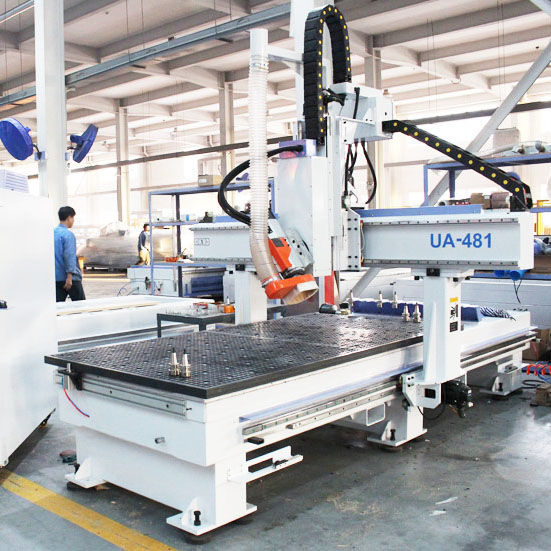
- An ATC example: 12 Tool Linear ATC CNC Router UE-481
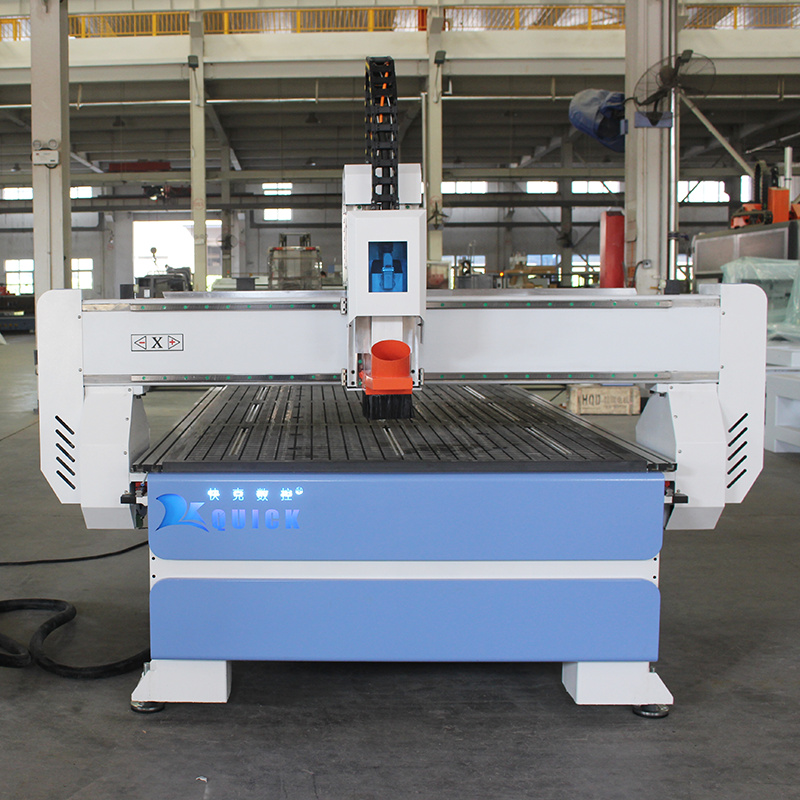
- A 4×8/1325-class heavy-duty option: Heavy duty 1325 cnc router machine K45MT
- A door/panel multi-process option: PTP CNC Router for Doors and Furniture Panels
- A complex 3D option: 5 Axis Wood CNC Router for Mold Making